

1Cold Meta traffic into a live webinar
The client is Blake Mathews. This page does not name his business. Cold means the people seeing the ads had never heard of the offer. No warm list was used.
| Starting point | Number |
|---|---|
| Traffic source | Cold Meta ads |
| Funnel type | Live webinar |
| Days until the webinar when the numbers were posted | 5 |
Sign-ups decide if a webinar makes money
A live webinar only makes money if people sign up for it and then turn up. Both of those happen before the webinar starts. If the sign-ups cost too much, the webinar is in the red before anyone says a word.
Our job was the front of the funnel. That meant ads that get cheap clicks from cold people, a page that turns clicks into sign-ups, and emails that keep people warm until the day.
2What we built: ads, a sign-up page and emails
Meta ads to cold traffic
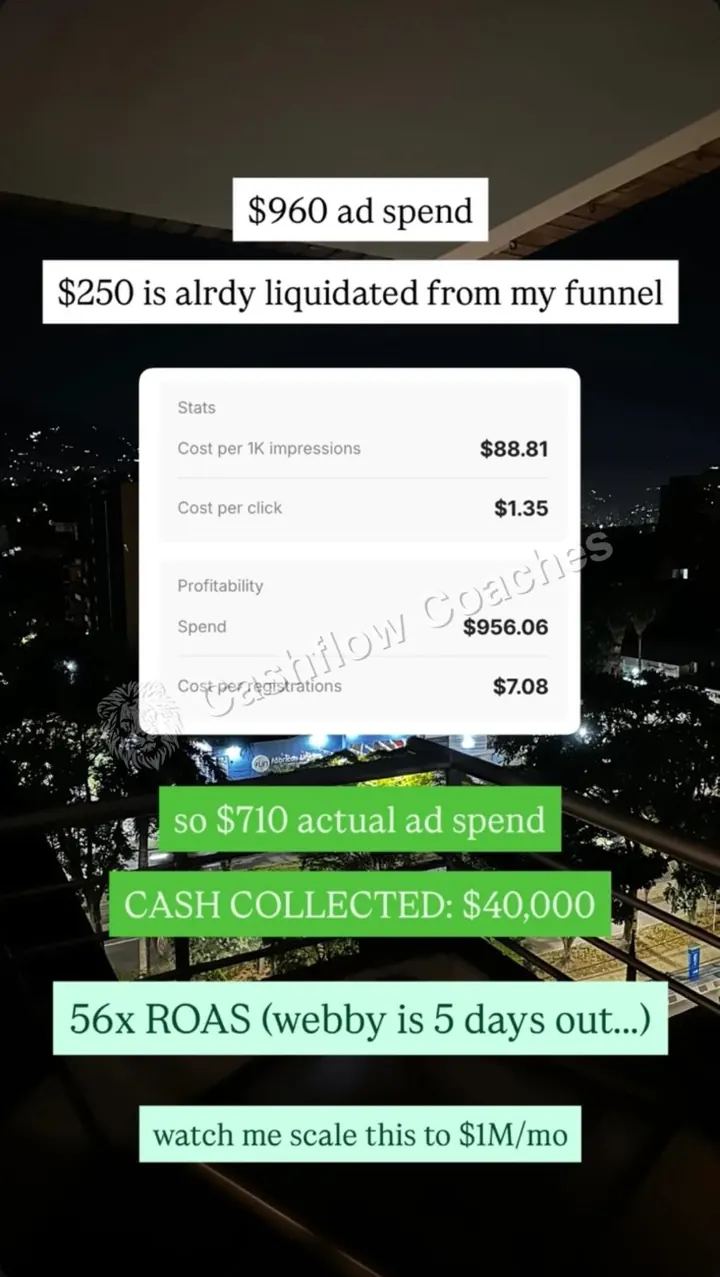
We built the ads. They ran to cold people and sent them to one place: the sign-up page. They cost $1.35 a click.
The sign-up page
One page with one job: get the registration for the live webinar. Each registration cost $7.08 in ads.
The pre-webinar emails
Emails that warm people up in the days before the webinar starts, so they know why to show up and what they will get.
The funnel also had something people could pay for before the webinar, because $250 had come back from it by the time the numbers were posted. The proof does not say what it was.
3$40,000 collected with the webinar 5 days out
- Ads live$956.06 spent
$88.81 per 1,000 views. $1.35 per click. $7.08 per registration.
- Before the webinar$250 back from the funnel
$250 of the ad spend came straight back before the webinar, so the real spend was about $710.
- 5 days out$40,000 collected
Cash collected: $40,000. That is 56 times the net spend, and the webinar had not started yet.
4$1.35 a click, $7.08 a registration, 56x back
Rows marked "worked out" are calculated from the ad account. The rest are read off it.
| Step | What we measured | Number |
|---|---|---|
| Ad spend | From the ad account | $956.06 |
| Views | Cost per 1,000 views (CPM) | $88.81 |
| Views | Number of views (worked out: $956.06 ÷ $88.81 × 1,000) | about 10,765 |
| Clicks | Cost per click | $1.35 |
| Clicks | Number of clicks (worked out: $956.06 ÷ $1.35) | about 708 |
| Clicks | Click rate (worked out: clicks ÷ views) | about 6.6% |
| Sign-up page | Cost per registration | $7.08 |
| Sign-up page | Registrations (worked out: $956.06 ÷ $7.08) | about 135 |
| Sign-up page | Clicks that signed up (worked out: 135 ÷ 708) | about 19% |
| Before the webinar | Money back from the funnel | $250 |
| Cash | Collected 5 days before the webinar | $40,000 |
56x on $710 of net spend
| Ratio | How it is worked out | Result |
|---|---|---|
| Net ad spend | $960 (as the post rounds it) minus $250 | $710 |
| Return on ad spend | $40,000 ÷ $710 | 56x |
| Cash per registration | $40,000 ÷ about 135 | about $296 |
The ad account says $956.06. The post rounded it to $960, and $960 minus $250 is $710. The exact net spend is $706.06, so the real return is a little higher.
On cold live webinars, $10 to $15 per registration is great and $15 to $20 is average. $7.08 is below both. Cold paid traffic usually costs $30 to $80 per 1,000 views, with about a 2% click rate. Here views cost more than that, at $88.81, but about 6.6% of people clicked. That is why each click ended up cheap.
A webinar registration page usually signs up 20% to 50% of clicks. About 19% here sits just under that range. That is the step we would test first, because a better page would make every registration cheaper.
Run it on your numbers
Net ad spend is ad spend minus money back.
5The ad account, posted 5 days before the webinar
See If You Qualify
Bring your cost per click and cost per registration from the tool above. We'll go through your numbers together and tell you what we would fix first.
6Cheap registrations come from ads people click
1. The ads got people to click
Views were not cheap. $88.81 per 1,000 is high. But about 6.6% of the people who saw the ads clicked, so each click cost only $1.35.
2. The funnel paid some of its own way
$250 of the $956 came back before the webinar. That cut the real cost of the ads by about a quarter, and that money can go straight back into ads.
3. The money came in before the live event
$40,000 came in while the webinar was still five days away. The proof does not say which step the money came through, so we do not credit it to one part.
What to copy this week
- Pull three numbers from your ad account. Cost per 1,000 views, cost per click and cost per registration. Write them down today.
- Work out your registrations from them. Spend divided by cost per registration. Do the same for clicks. Now you can see the drop between them.
- Check your sign-up page rate. Registrations divided by clicks. If it is under 20%, the page is the first thing to fix.
- Give people something to buy before the webinar. Even a small amount coming back early lowers your real ad spend.
- Write the emails that run before the webinar. People sign up days early. Use those days to warm them up.
- Track net spend, not just spend. Ad spend minus money that came back. That is the number your return should use.
7Build it yourself with Claude
Free Claude skill: download the funnel math diagnostic. It takes your numbers at each step of the funnel, checks them against normal ranges and tells you the one step to fix first.
8Want this built for you?
Not sure which step is leaking in your business? Take the bottleneck quiz first. If you already know, book a call and we will go through your numbers together and tell you what we would build first.
Find the exact bottleneck in your business
Frequently asked questions
How cheap can a booked sales call get on Meta ads?
This case did not publish booked calls, so it cannot answer that on its own. In another case on this site, a $15,000 B2B offer booked calls at $66 each from Meta ads and a webinar, before retargeting was switched on. Operators commonly report $100 to $300 per booked call as a normal number to plan with.
How did $710 of ads turn into $40,000?
$956 went into cold Meta ads. $250 came back from the funnel before the webinar, so the real spend was about $710. $40,000 was collected while the webinar was still five days out. The proof does not say which step the money came through.
What is a good cost per registration for a webinar?
Operators running cold live webinars commonly report $10 to $15 per registration as great and $15 to $20 as average. This case paid $7.08.
What is a good cost per click on Meta ads?
It depends on your offer and audience. In this case clicks cost $1.35, even though 1,000 views cost $88.81, because about 6.6% of people who saw the ads clicked.
What does 56x ROAS mean?
ROAS is return on ad spend: cash collected divided by ad spend. $40,000 divided by $710 of net spend is about 56. So every $1 of ads brought back about $56.
What did Cashflow Coaches build for this webinar?
The Meta ads, the sign-up page for the webinar and the emails that warm people up before the webinar starts.
Is this result typical?
No. It is a real result from one webinar, posted five days before it went live. Your result depends on your offer, your price, your market, your ad spend and your sales team. Cashflow Coaches does not guarantee revenue.
More case studies
 $0 to $1,230,101 in 60 days on cold traffic webinars
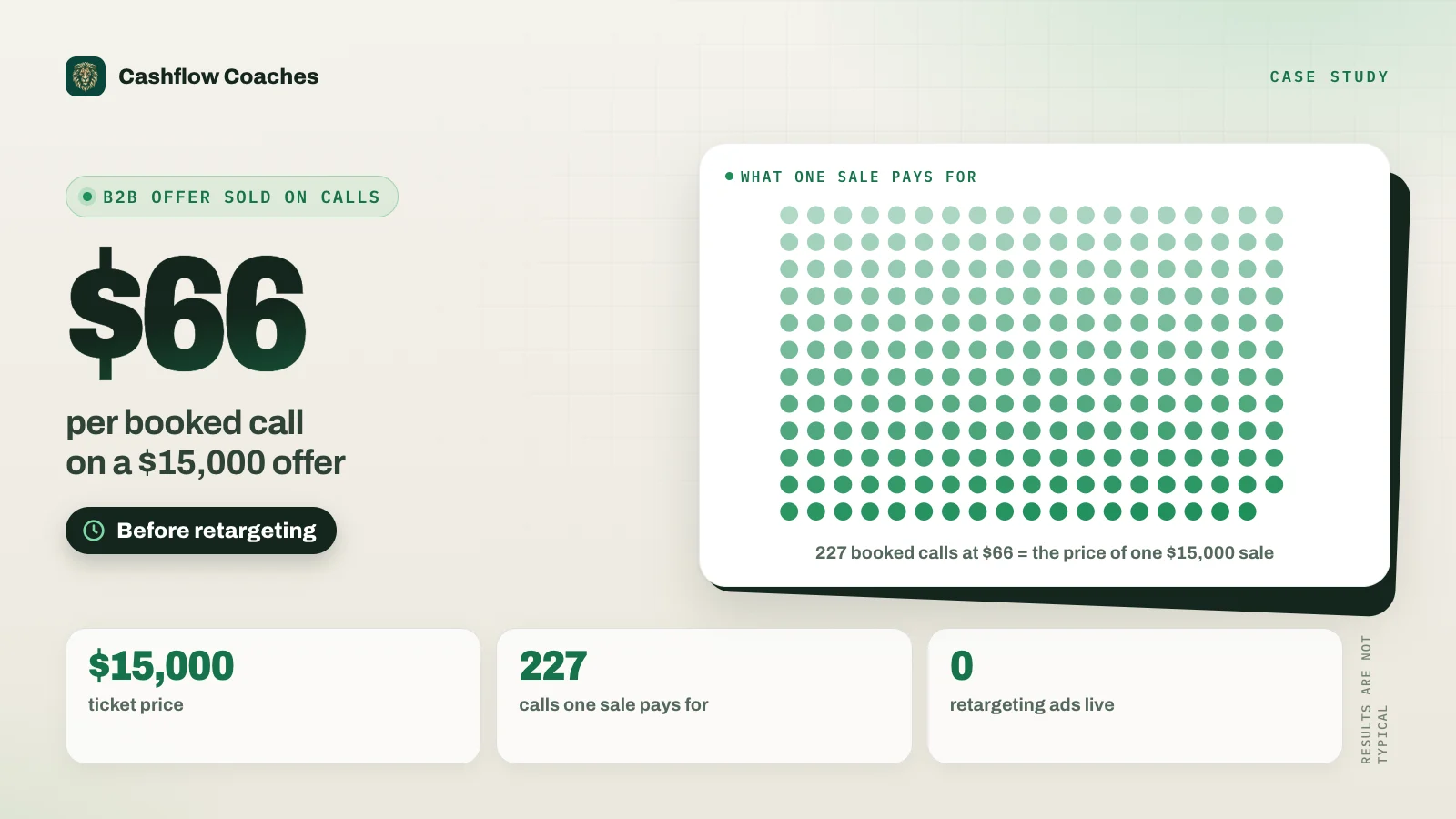 $66 per booked call on a $15,000 B2B offer
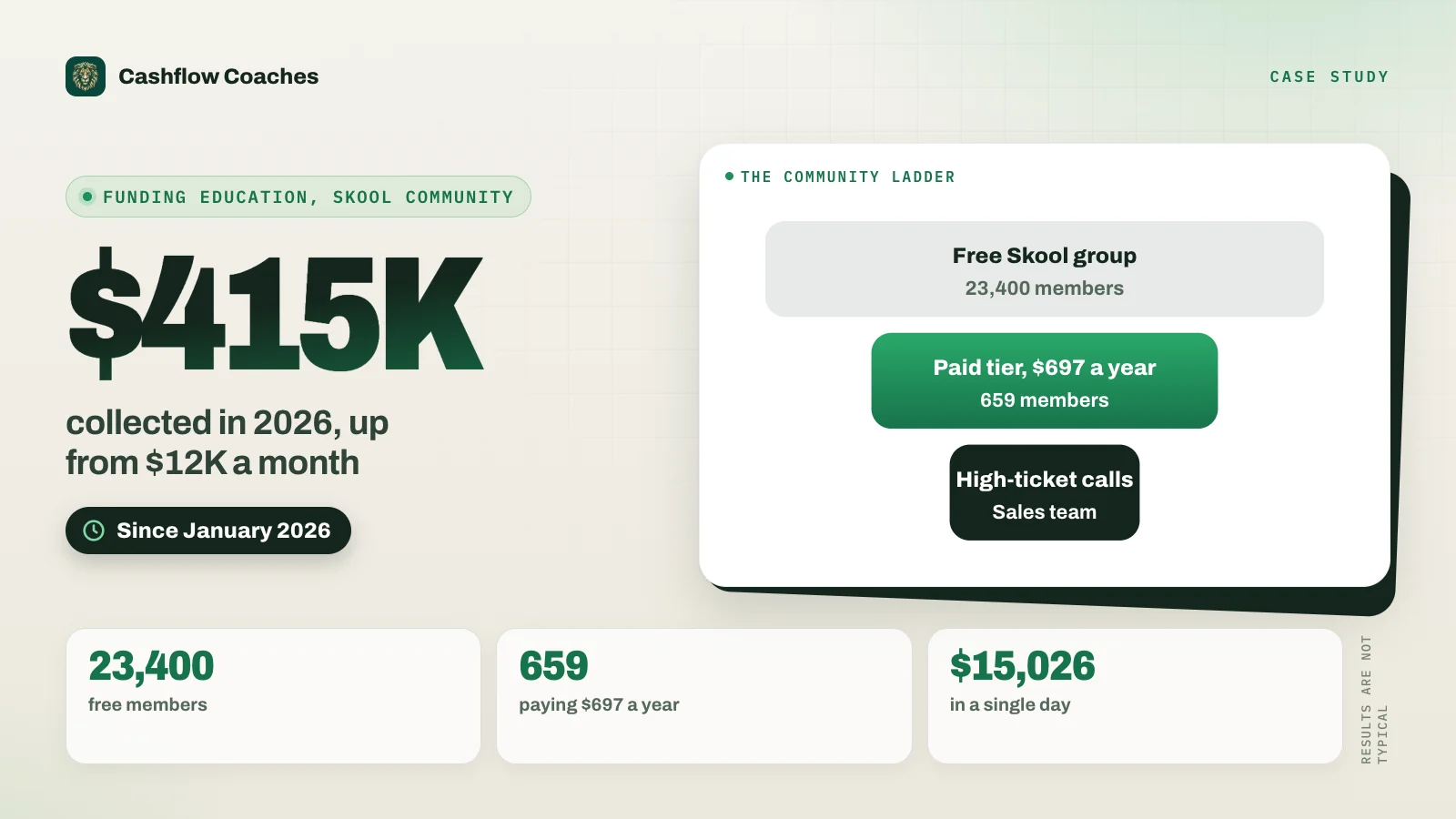 $12K a month to $415K with a Skool community
$10M+ in client results. I run Cashflow Coaches, a done-for-you marketing, sales, operations and tracking agency. We handle everything from paid ads, funnels, webinars, VSLs and Skool communities to setters, closers, ops and tracking. Two-time Skool Games winner.
Keep reading: All case studies$0 to $1.23M in 60 days$66 per booked callSkool community caseROAS calculatorClient acquisition systemDone-for-you webinar funnelFind your bottleneck (quiz)
Results are not typical. The business in this case is not named on this page. Views, clicks, registrations, click rate and cash per registration are worked out from the ad account figures, not read off a screen. Every figure on this page comes from a client's payment dashboard or a post we published at the time. It is a past result from one specific business, not a promise of what you will make. Your results depend on your offer, your price, your market, your ad spend, your sales team and your own effort. Names, emails and payer details in the screenshots are blurred.