
1What should an appointment reminder say?
Five things, in this order:
- Their name. It reads like a person sent it.
- The day, time and time zone. Restate the time in every message, because people mix up time zones.
- Who they will talk to. A name, not "our team".
- Where the link is. In the email and the calendar invite.
- One action. Reply YES, click Accept, or pick a new time.
Reminder: you have an appointment tomorrow. Click here for details.
Hi Sam, your call with Omar is tomorrow at 11:00 AM ET. Reply YES to keep your spot.
Use a real name as the sender. Never dress up an automatic text as a person. Send real personal touches as well.
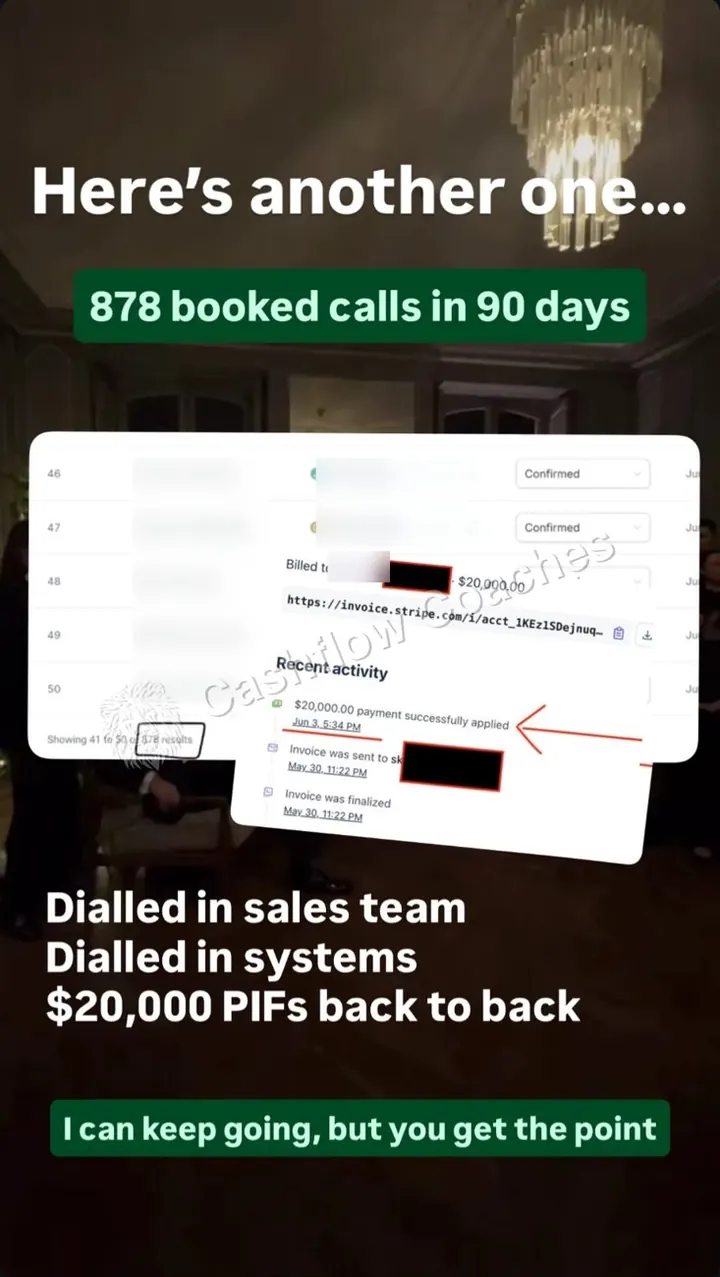 878 booked calls in 90 daysOne call funnel, one client
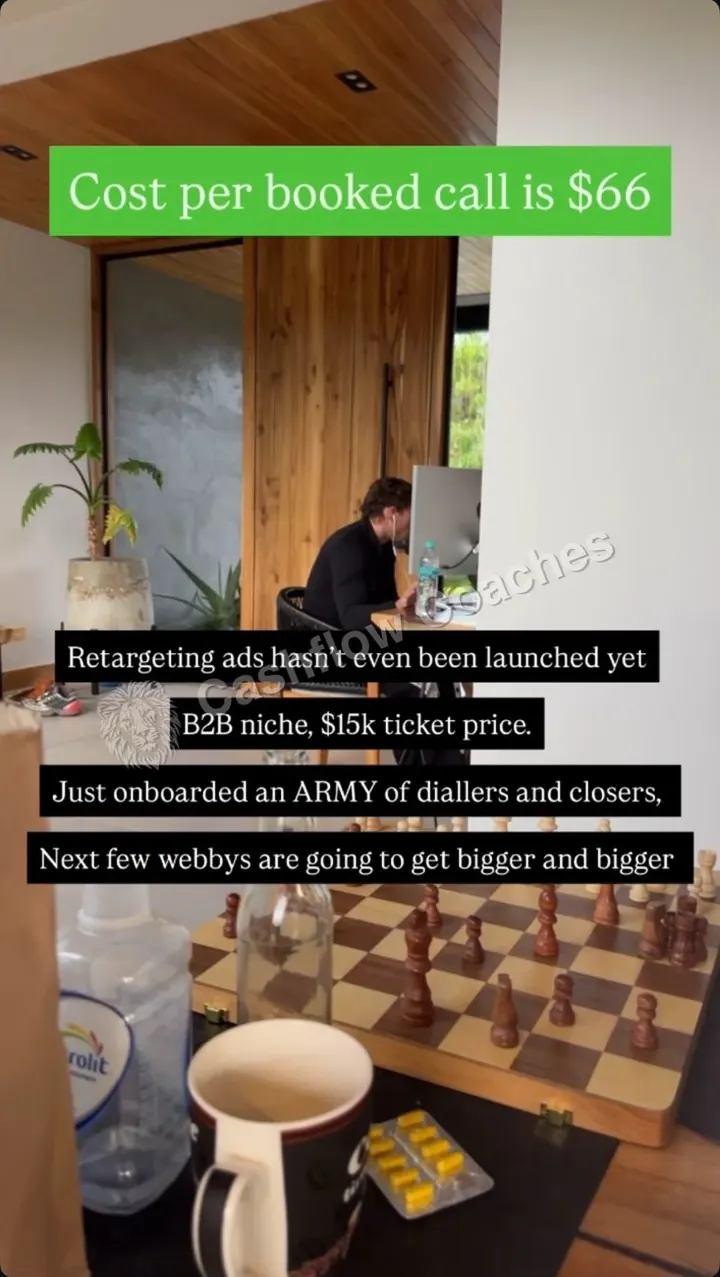 $66 a booked callBlake Mathews's $15K B2B offer, before retargeting
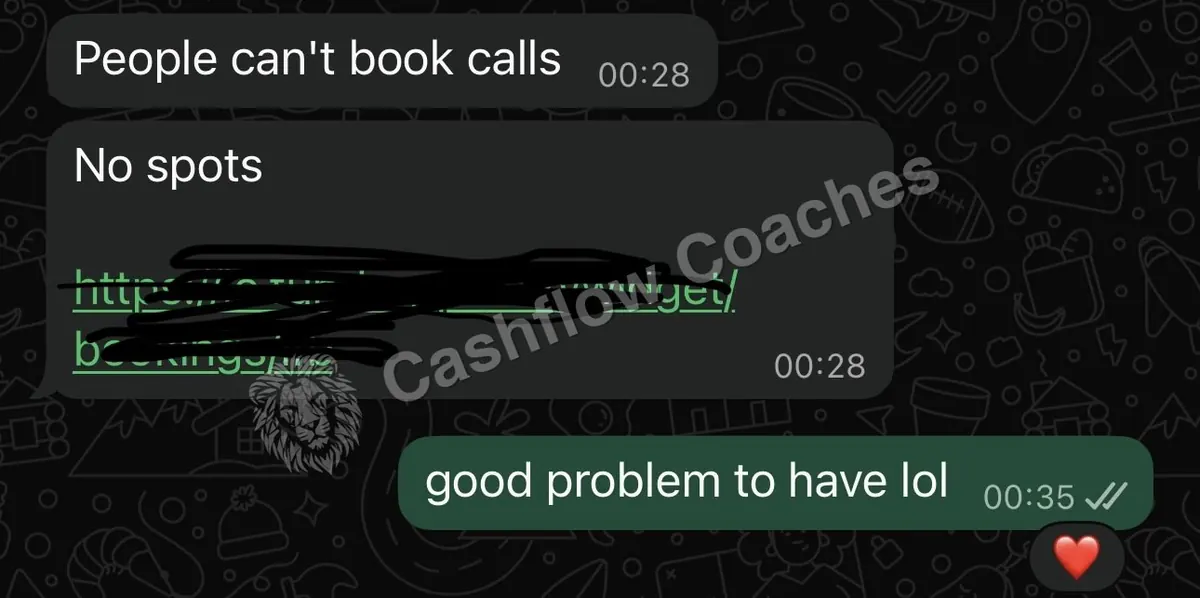 "People can't book calls. No spots."A client, a few weeks in
Real screenshots from our clients and our stories. Not typical.
2When should you send appointment reminders?
| When | Channel | Job |
|---|---|---|
| Right after booking | Text and email invite | Confirm, ask them to click Accept |
| Within minutes | Setter call | Confirm by voice, ask one question |
| 27 hours before | Text | Ask for a YES. Sent at 27, not 24, so unconfirmed calls can be freed a full day ahead |
| Day before | Email and closer voice note | Proof, and a face for the name |
| Morning of | Text and email | Today's time in their time zone |
| 1 hour before | Text | Short nudge |
| 15 minutes before | Text | "See you in 15" |
| 3 minutes after start | Call, then text | Rescue a late joiner or rebook |
Operators commonly report personal touches at 24 hours before, the morning of and 1 hour before work best, on top of the automatic ones. If the call is booked for today, most of this list collapses into the first hour. That is fine. Same-day and next-day calls show up best.
Send schedule builder
Type your names and the call time once. Every template on this page fills in too.
| Send at | Touch |
|---|
Paste the copied sequence into your CRM as one workflow, timed off the appointment. For what each touch is for, see the show rate guide.
3Text message appointment reminder templates
These appointment text message reminders fill in from the builder above. One text holds 160 plain characters.
Confirmation texts
Hi [first name], it's [your name] from [business]. You're booked with [closer] on [day] at [time] [time zone]. Please click Accept on the calendar invite we just emailed. Reply YES so I know you got this.
[first name], you're all set: [day] at [time] [time zone] with [closer]. Save this number. I'll text you before the call.
Hi [first name], [your name] here from [business]. You're in for [day] at [time] [time zone]. Before the call, have a think about [their goal]. That's what [closer] will dig into with you.
Confirm request texts
Ask for a reply. A YES is a promise.
Hi [first name], your call with [closer] is tomorrow at [time] [time zone]. Reply YES to keep your spot, or reply with a better time.
[first name], haven't heard back. Still good for [time] tomorrow? If I don't hear from you tonight, I'll free the spot and send you a new link.
Day before
Hi [first name], [your name] here. [closer] has your call blocked for tomorrow at [time] [time zone]. Anything you want them to know first?
Hi [first name], it's [closer]. Looking forward to tomorrow at [time]. I looked at what you shared about [their goal] and have a couple of ideas for you.
Morning of
Morning [first name]! Today at [time] [time zone] with [closer]. The link is in your email and calendar.
Hi [first name], quick heads up: we're on today at [time] [time zone]. Anything you want [closer] to look at first?
1 hour and 15 minutes before
Keep the link in the email and invite.
[first name], see you in an hour at [time] [time zone].
Starting in 15 minutes, [first name]. Join from a laptop if you can. The link is in your email.
Hey [first name], [closer] here. Getting set up for our call. See you in 15.
Reschedule texts
Make moving easy, so they move instead of going quiet.
No problem, [first name]. I've got [option 1] or [option 2]. Which works better?
All good, [first name]. Want me to hold a spot later this week, or check back next week?
No-show texts
Always offer a new time.
Hi [first name], [closer] is on the call now. Here's the link again: [call link] Running late? Reply and we'll wait a few minutes.
Missed you today, [first name]. No stress. Want to grab a new time? Reply with a day that suits.
[first name], still want help with [their goal]? I've got two times open tomorrow. Want one?
4Email appointment reminder templates
Texts remind. Emails do a job: show a result like theirs, answer one worry by name, or set up the call. Most people never click a link in a reminder, so put the answer in the email itself. To have Claude write these longer emails in your voice, with your client stories, get the show rate and pre-call sequence skill.
Subject: Your call with [closer]: [day] at [time] [time zone]

Hi [first name],

You're booked with [closer] on [day] at [time] [time zone].

Join here: [call link]

One thing to do now: click Accept on the calendar invite so it's saved.

On the call we'll look at [their goal] and tell you straight if we can help.

[your name]
[business]
Subject: The question most people ask before the call

Hi [first name],

Before you speak with [closer], I want to answer the question we hear most: [the top worry, in their words].

Here is the honest answer. [Why the worry makes sense. What is actually true. One client who had the same worry, and what happened.]

If that was on your mind, you can stop carrying it into the call. Bring your other questions and [closer] will answer them straight.

[your name]
Subject: What happens on [day] at [time]

Hi [first name],

Here is how the call with [closer] works, so nothing is a surprise.

1. A few minutes on where you are now with [their goal].
2. What is in the way, and what we would do about it.
3. If we can help, [closer] shows you how. If we can't, you will hear that too, with what to do next.

It takes about [length] minutes. If anyone else decides with you, bring them.

Join here: [call link]

[your name]
Subject: Before our call tomorrow, [first name]

Hi [first name],

Quick note before tomorrow at [time] [time zone].

[Client first name] came to us with the same problem: [before]. Here's what happened in [time]: [after]. Watch the 4-minute story: [link]

To get the most from the call, bring:
1. Your numbers for last month
2. The one thing you most want fixed
3. Anyone else who decides with you

See you tomorrow,
[closer]
Subject: Today at [time] [time zone]

Hi [first name],

We're on today at [time] [time zone].

Join here: [call link]

A laptop and a quiet room work best.

[closer]
Subject: We missed you, [first name]

Hi [first name],

We had you down for [time] today and didn't see you. No stress, things come up.

Pick a new time here: [booking link]

If the timing is off, just reply and tell me. I'll check back later.

[your name]
Subject: One more thing, [first name]

Hi [first name],

You booked a call because something about [their goal] isn't where you want it. That didn't go away when the call did.

Every month it stays the same costs you [what it costs them, in their words]. Most people we talk to waited longer than they needed to.

If you still want help, pick a time here: [booking link]

If now is not the time, reply and tell me. No hard feelings.

[your name]
5Call and voicemail reminder scripts
Have the person taking the call send a short voice note or video the day before, so the lead feels they owe two people a show.
Hi [first name], it's [your name] from [business]. You just booked a call for [day] at [time], right?

Great. Two quick things.
1. Can you open the email from us and click Accept on the invite while we're on the phone?
2. What made you book today?

Perfect. You'll be speaking with [closer]. I'll text you before the call. Talk soon.
Hi [first name], [your name] from [business]. Just confirming your call with [closer] on [day] at [time] [time zone]. I'll text you from this number. Reply YES there to lock it in.
Hi [first name], it's [closer]. I'll be on your call tomorrow at [time]. I looked at what you said about [their goal], and I've got a couple of ideas already. See you then.
Hi [first name], it's [closer]. I'm on our call now. Is now still good? I'll text you the link right away. If now doesn't work, let's pick a new time while I have you.
6Reminder templates for coaching, consulting and B2B calls
Same schedule. Change the goal line and the day-before email.
| Call type | Goal line | Day-before proof |
|---|---|---|
| Coaching | "getting your first 5 clients" | A client story like theirs, before and after |
| Consulting | "cutting your cost per client" | One number you moved for a client |
| B2B service | "filling your sales calendar" | A short case study and who else should join |
| Agency | "your ad account review" | What you will look at, so they bring logins |
For B2B, ask in the confirm call if anyone else decides. Invite them too.
7How do you automate reminders in GoHighLevel, Calendly or Google Calendar?
Automated appointment reminders run from your appointment reminders software, so the tool decides what you can send.
- GoHighLevel: a workflow on the appointment trigger, with Wait steps timed off the appointment time. Paste the texts and emails above into Send SMS and Send Email steps.
- Calendly: use its Workflows feature for email and text reminders before the event. Check which plan includes texts.
- Google Calendar: there is no SMS reminder for Google Calendar guests. It sends email and app alerts. For SMS appointment reminders, run them from your CRM or booking tool.
Keep the setter call, the closer voice note and the no-show call manual. Automate the rest.
8Are text reminders allowed? Consent, opt-out and quiet hours
This is general guidance, not legal advice. Check the rules where you and your leads are.
- Get consent on the form. A clear line that you will text about their call.
- Say who you are. Business name in the first text.
- Honor opt-outs. STOP means stop.
- Respect quiet hours. No texts in the middle of the night in their time zone.
- Register your number. In the US, register for A2P 10DLC before texting at volume. Approval takes a few days.
- Health businesses: keep health details out of texts, and ask your compliance adviser about HIPAA.
9How much do reminders raise show rate?
| What they did | What operators report |
|---|---|
| Lead confirmed through the calendar invite | About 85% show |
| 2 or 3 separate confirmations | About 80% show |
| Full confirmation and reminder process | Claimed lift of 15 to 25 points, to about 75% to 85% |
| One urgency video on the confirmation page | Show rate up 19% |
| No real system | About 50%, the common industry average |
Those are other operators' numbers, not ours. Put a dollar figure on your no-shows with the show rate calculator. If your calls show up and still don't turn into clients, reminders are not the problem: find the exact bottleneck in your business.
10Worked example: Omar's reminder week
Omar is a made-up consultant with an $8,000 offer. He books 80 calls a month and 50% show. He only sends the booking tool's default email.
He adds the confirmation text, the setter call, the 27-hour YES, his own voice note, and the no-show texts. Say his show rate reaches 65%.
| Line | Before | After |
|---|---|---|
| Calls that show (of 80) | 40 | 52 |
| Clients at a 20% close | 8 | 10.4 |
| Revenue | $64,000 | $83,200 |
With the same ads, 12 more calls are held, worth $19,200 more a month in this example. If you want this whole flow built and run by a setter team, see if you qualify.
11What to do this week
- Fill in the builder with your names and a real call time.
- Copy one confirmation text, the 27-hour YES and both 15-minute texts into your CRM.
- Copy emails 1 to 5 into your booking tool, and write the top worry email from your last 10 calls.
- Have your setter run the confirm call on every booking.
- Record one voice note per call the day before.
- After two weeks, check your show rate in the calculator.
Find the exact bottleneck in your business
Frequently asked questions
How do I write an appointment reminder?
Use their name, the day, time and time zone, who they will talk to, where the link is, and one action, like reply YES. Keep a text under 160 characters when you can.
What is a good reminder message?
Short, personal and with one action. For example: "Hi Sam, your call with Omar is tomorrow at 11:00 AM ET. Reply YES to keep your spot."
When should you send appointment reminders for a sales call?
Right after booking, a confirm request about 27 hours before, a value email the day before, then the morning of, 1 hour before and 15 minutes before. Operators commonly send the confirm request at 27 hours so unconfirmed calls can be freed a full day ahead.
Should appointment reminders be texts or emails?
Both. Texts get read fast and carry the reminder. Emails carry the join link, the calendar invite and the proof.
How do you remind a client to schedule an appointment?
Send a short text with two set times to pick from, not an open question. If they do not reply, follow up every other day for two weeks, then once a month.
Are text appointment reminders HIPAA compliant?
It depends on what the text says and the tools you use. Keep health details out of texts and ask a compliance adviser. This is not legal advice.
Can Google Calendar send SMS reminders?
Google Calendar only sends email and app notifications, and only to people on the invite, so it will not text your leads. For text reminders, use your CRM or booking tool.
How do I keep track of my appointments?
Keep every booked call in one calendar that syncs with your CRM, and give each booking a pipeline stage: booked, confirmed, showed, no-show. Check the confirmed column each morning, and chase anyone who has not replied YES by the day before.
How to set up appointment reminders in Outlook?
Open the event in Outlook and pick a time in the Reminder setting, such as 15 minutes. That alerts you, not your lead. Leads only get the invite email, so send their text reminders from your CRM or booking tool.
How many reminders is too many?
For a booked sales call, about six to eight short touches across text, email and voice is common. Keep each one useful and stop once they confirm and join.

$10M+ in client results. I run Cashflow Coaches, a done-for-you marketing, sales, operations and tracking agency. We handle everything from paid ads, funnels, webinars, VSLs and Skool communities to setters, closers, ops and tracking. Two-time Skool Games winner.
Bring your show rate to the call.
On the call we look at your booked calls, your reminders and your show rate, and show you which touch is missing. If you're not a fit, we tell you what to fix first.
Book your callKeep reading: Sales call show rateShow rate calculatorSpeed to leadAppointment setter scriptAI appointment setterFind your bottleneck (quiz)
Omar is a made-up example. His numbers show how the maths works and are not a client result. Benchmarks on this page come from other operators. They are not Cashflow Coaches results and not a promise. Every real result on this page is a past result from a specific client. None of them is typical. Nothing here is legal advice.