
1What is an automated webinar?
It is a recorded webinar that plays on a schedule. People sign up, get reminders and watch at a set time. Nobody presents live. You will also hear it called an evergreen, auto-recorded or pre-recorded webinar.
| Live | Automated | On demand | |
|---|---|---|---|
| When it plays | Once, at a set time | Set times, every day or week | Any time, the moment they sign up |
| Who presents | You, live | A recording of you | A recording of you |
| Chat | Real, live | Your team answers, or none | Usually none |
| Your time | 2 to 3 hours each session | Almost none once set up | None once set up |
| Best for | New offers, testing the pitch | A pitch already proven live | Low ticket, warm leads |
Operators who moved from on-demand to fixed times report fewer people show, but more watch to the end, so sales go up. For high ticket, use fixed times, not on demand.
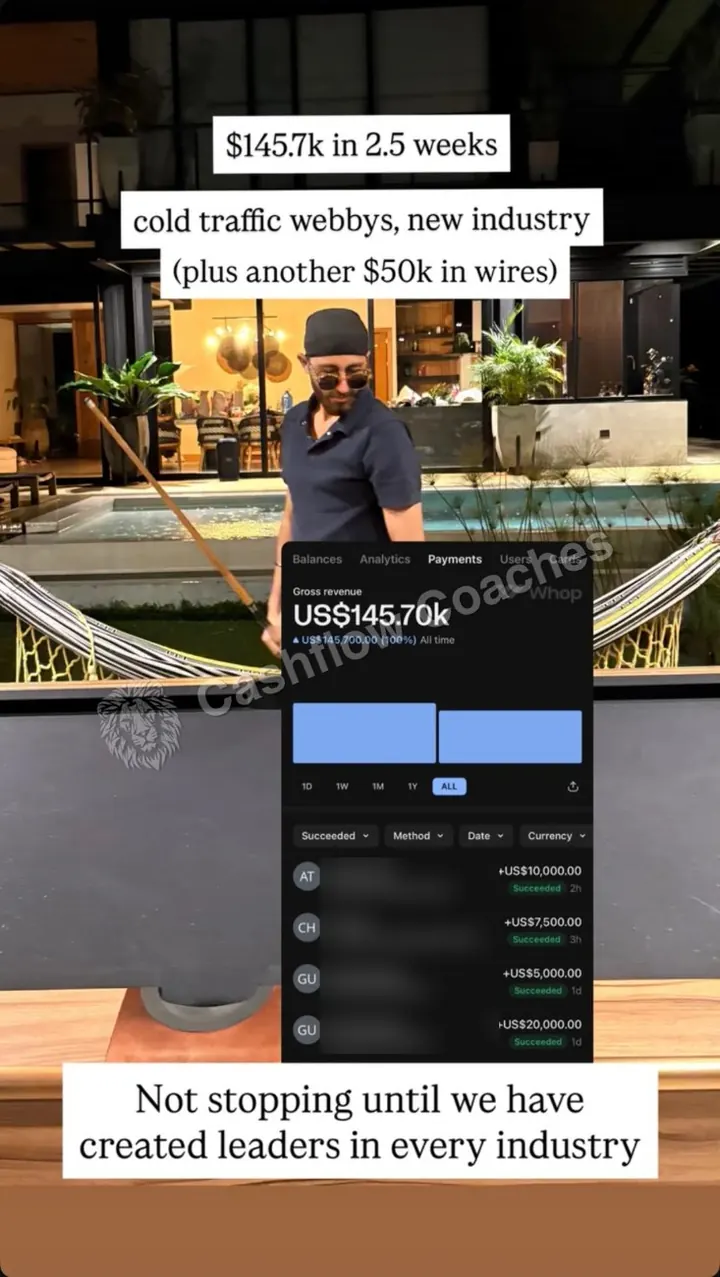 $145.7K in 2.5 weeksCold traffic, a brand new industry
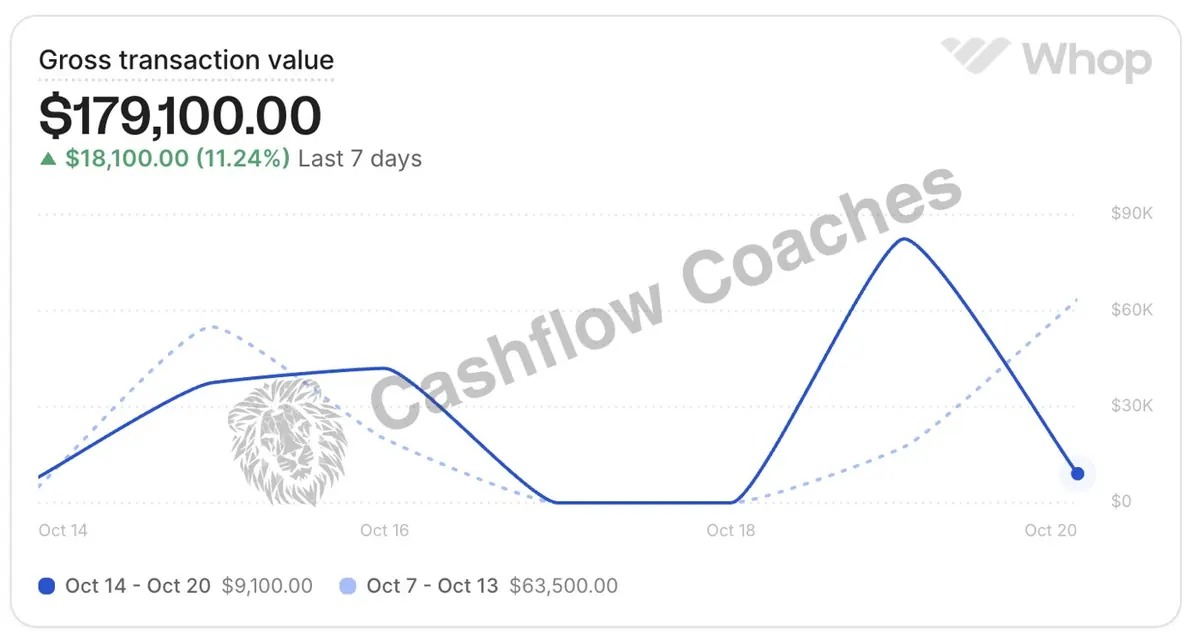 $179,100 in 7 daysOne webinar week
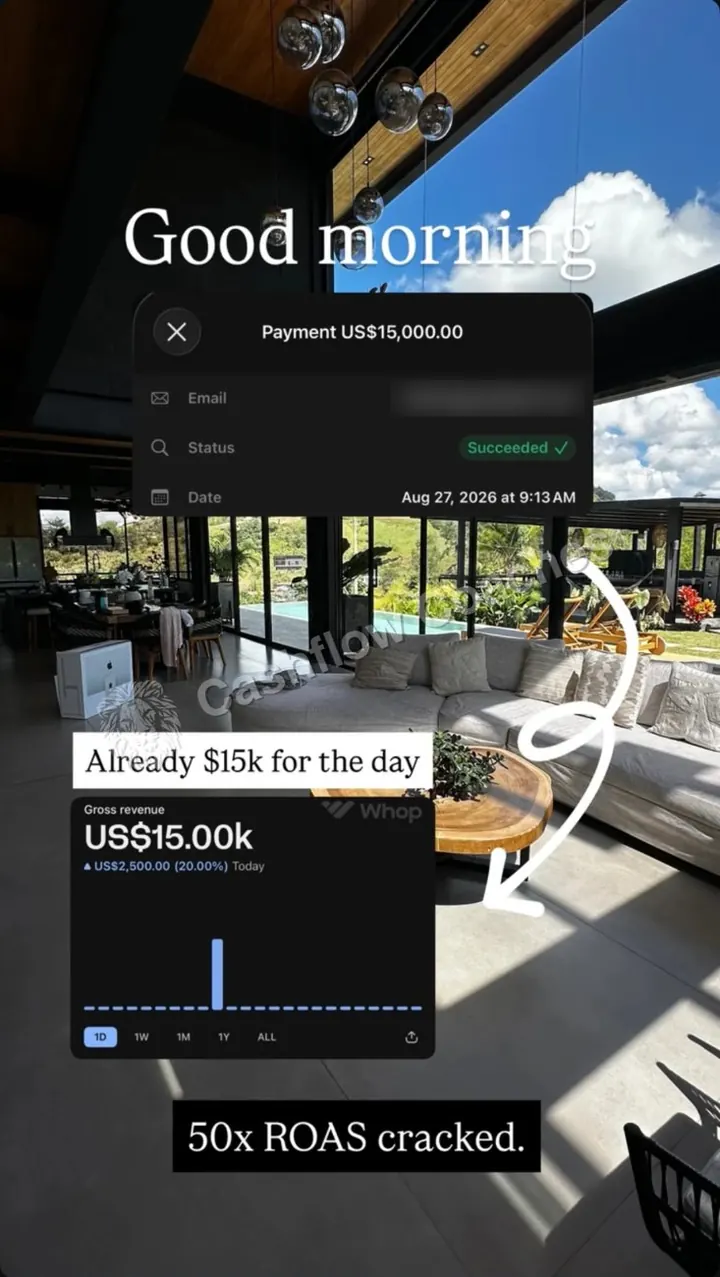 50x ROAS$15K collected before noon
Real screenshots from our clients and our stories. Not typical.
2Auto-recorded vs live webinar: when does each win?
Live sells harder. Automated sells longer, with less of your time. Pick by where your offer is today.
| Your situation | Live wins | Automated wins |
|---|---|---|
| The pitch | New, or you still change the slides | Two or more live webinars in a row made money |
| Price and buyer | Over $10,000, or business owners who want to see you | Under $10,000, buyers who are fine with a recording |
| What limits you | Ad budget or show rate | Your hours, or leads in other time zones |
| Your team | Nobody to staff the chat yet | A setter in the chat and on the phones |
| What you need | The highest return per webinar | More sessions without more of your time |
Most of our clients do both. One live webinar a week stays the place to test changes. Recorded sessions run around it. Automate only once the webinar is dialled in, and use scheduled times rather than instant replays.
3What changes when you automate: show rate, reminders and the offer
Yes, it still works, at a cost. These are other operators' numbers, not ours.
| Live, with a deadline | Automated | |
|---|---|---|
| Show-up rate | Cold traffic: about 20% average, 30%+ good | Sessions every day put sign-up close to the start. Same-day sign-ups show at 40%+. |
| Show rate on the sales calls after | 75% to 100% in one operator's funnel | 40% to 57% in the same operator's evergreen funnel |
| Cash per call that showed | $3,000 to $5,000 | $500 to $1,000 |
| Return on ad spend | 3x to 5x when it works | About 1 point lower, for example 4x down to 3x |
| Reminders | Up to 3 days of emails that answer doubts, then a tight run on the day | Hours, not days. The confirmation email and calendar invite do most of the work |
| The offer | One deadline for everyone, tied to the event | A deadline per viewer, counted from when they watched, and kept |
| Questions | Answered live in a long close | Answered in the recording, plus a team member in the chat |
The pattern: automating keeps most of the people and loses some of the urgency. That is why calls booked from a recording show less and close for less. The fix is a real deadline per viewer and a setter who calls every attendee the same day.
Our own webinar numbers (all live)
All from live webinars on cold Meta ads. Real results, not typical.
Read them in full: $0 to $1.23M in 60 days, $40K on $710 of ads and $66 per booked call. We have not published an automated webinar case yet.
4Live vs automated webinar calculator
The starting numbers are a made-up example. If a step before the webinar is already broken, automating will not save it. Find the exact bottleneck in your business first.
| One month | Live | Automated |
|---|---|---|
| Registrants | 1,000 | 1,000 |
| Attended | 250 | 220 |
| Booked calls | 75 | 59 |
| Cost per booked call | $267 | $337 |
| New clients | 15.8 | 11.6 |
| Revenue | $78,750 | $57,915 |
| Return on ad spend | 3.9x | 2.9x |
| Your hours | 12 | 0 |
Starting numbers are examples. Put in your own.
Want this comparison sent to you?
Leave your email and we will send your numbers, plus the step we would fix before you automate.
We only use this to send your numbers and to follow up about your client acquisition. If you add a mobile, we may call or text you about it.5How to set up a live webinar
- Pick one weekly time. Consumer webinars often start around 7pm Eastern. Business webinars can run midday, in work hours.
- Promote for 3 days at most. People who sign up on the day show at 40% or more. Three or more days out, about 10% or less. Start ads two days out.
- Build a short sign-up page. Headline, short video, countdown and the form, with two or three scrolls of text at most. Ask for a mobile so reminders can reach them.
- Use the thank-you page. Add to calendar, plus a short video with a real reason to show up. In one funnel, that video lifted show rate by 19%.
- Write the run of show. About 45 to 60 minutes of teaching, then the offer, then a long Q&A. Stay in the close for an hour or more. The webinar run of show writer Claude skill drafts it, minute by minute, from your offer.
- Clean up for 10 days. Setters call everyone who attended but did not book, then everyone who never showed, and the replay goes out.
6How to create an automated webinar in 8 steps
- Prove the pitch live first. Run it live until two in a row make money.
- Record your best live session. Pick the one with the best booking rate, not the cleanest video. Keep the live Q&A in. Those questions are your best objection handling.
- Edit out the clock. Cut the waiting at the start. Cut "tonight", dates and anything that only made sense live. Do not add fake chat.
- Pick fixed times. One or two sessions a day is common. Show the next two or three on the sign-up page, nearest first, so most people pick one within 24 hours.
- Compress the reminders. Send the join link and a calendar invite by email at sign-up. Send the link by email or invite, not text, so people watch on a big screen. The full schedule is in the next section.
- Time the booking button. Show it when the pitch starts. Keep the calendar in the same flow, with times for today and tomorrow.
- Staff it. A setter answers chat during sessions and calls every attendee who did not book, the same day. Missed sessions get an invite to the next one, then a replay with a real end date.
- Keep one live session. Run live at least once a month to test new angles. When the live version beats the recording, record it again.
The webinar funnel builder Claude skill writes the pages, the reminder sequence and the follow-up for either version.
7Reminder schedule: live vs automated
Live reminders have days to build interest. Automated reminders have hours, so each one has to work harder. This is our starting point. Change it once you see your own open and show-up rates.
| When | Live webinar | Automated webinar |
|---|---|---|
| At sign-up | Email: date, what they will learn, add to calendar. Text: you're in. | Email: session time, join link, calendar invite. Text: you're in, the link is in your email. |
| 20 minutes after | Email: one client story and why to show up | Same email |
| Days before | One email a day, each answering one doubt with a real story | None. If their session is tomorrow, one email the evening before |
| 24 hours before | Email and text | Usually inside the window already |
| Morning of | Email and text | Only if the session is later that day |
| 1 hour before | Email and text | Email and text |
| 10 minutes before | Text | Text |
| At the start | Email with the link. Text: we're live | Email with the link. Text: starting now |
| 10 minutes in | Text: trouble joining? | Text: missed the start? Next session is at [time] |
| After | Replay for 5 to 6 days, with a hard end date | Invite to the next session first, then the replay with a hard end date |
The live text times above follow a common cadence. If reminder emails open under 40%, treat it as a deliverability problem. For the calls booked after the webinar, the show rate and pre-call sequence Claude skill writes the reminders that get people to the call.
8The offer: deadlines, fake scarcity and what to say
The pitch is the part that changes most. A live webinar has a natural deadline: the event. A recording does not, so you have to build an honest one.
| Part of the offer | Live | Automated |
|---|---|---|
| Deadline | Book by a set day and time, the same for everyone | Book within 72 hours of watching. Track it per person and honour it |
| Bonus | Three to five bonuses, only for people who act inside the deadline | The same bonuses, tied to the viewer's own deadline |
| Questions | Answered live, most common first | Answered in the recording, plus a real person in the chat |
| How you say it | "Tonight's training" | "This recorded training" |
Many tools can fake a live room. A high ticket buyer is deciding whether to trust you with thousands of dollars. Faking it is a bad trade.
| Use it | Skip it |
|---|---|
| Say it is a recorded training | Claiming it is live |
| A chat your team really answers | Scripted chat messages from made-up people |
| A real deadline on a real bonus | A timer that resets for every viewer |
| Timed polls and a timed booking button | Fake "people watching" counts |
Fakes can also break ad platform and consumer rules. A real deadline does the same job without the risk.
9What are the best automated webinar platforms?
Evergreen webinar platforms matter less than the steps around them. We earn nothing from any pick.
| Software | Built for | Pick it when |
|---|---|---|
| EverWebinar | Recorded webinars on a schedule, sister tool to WebinarJam | You already run live on WebinarJam |
| eWebinar | Automated webinars only, with chat your team answers later | You never plan to go live |
| WebinarKit | Automated webinars with offer buttons and countdowns | You want a simple, focused tool |
| Demio | Live webinars and Demio automated webinars in one place | You sell B2B and run both |
| EasyWebinar | Live and automated, with built-in email | You want one tool for both kinds |
| WebinarNinja | Live, automated and series webinars, priced by seat | You want both modes on a small budget |
Prices change often. We check them live, with the date, on the best webinar platforms for coaches.
10Worked example: Jordan weighs it up
Jordan is a made-up business coach with a $5,000 offer. She spends $20,000 a month and runs one live webinar a week.
| Line | Live | Automated |
|---|---|---|
| Registrants at $20 | 1,000 | 1,000 |
| Attended | 250 (25%) | 220 (22%) |
| Booked calls | 75 (30%) | 59 (27%) |
| Calls that showed | 53 (70%) | 39 (65%) |
| New clients at 30% | 15.8 | 11.6 |
| Revenue | $78,750 (3.9x) | $57,915 (2.9x) |
Automating saves her 12 hours a month and costs about $21,100 in lost sales and software. That is about $1,760 for each hour. Her hour is worth $500. She stays live.
Then she adds a recorded session on a second day, on new ad spend, and keeps the live one. More time slots, same pitch, and her live session stays the place she tests changes. If you want us to run that split for you, see if you qualify.
Find the exact bottleneck in your business
Frequently asked questions
What is the difference between a live and an automated webinar?
A live webinar is presented in real time, once, with a real chat and a deadline tied to the event. An automated webinar is a recording of your best live session that plays at fixed times, with a deadline counted from when each person watched. Live usually books calls that show and close better. Automated runs without your time. Many operators run both.
What does automated webinar mean?
An automated webinar is a recorded webinar that plays at set times, as if it were live. People register, get reminders, and watch at the scheduled time. Nobody presents live. Some tools add a timed offer button, polls and a chat your team answers.
Are webinars still effective in 2026?
Yes, for offers that need some teaching before people buy. One of our clients went from $0 to $1,230,101 in 60 days on live cold traffic webinars, and one webinar returned 36.96x on ad spend. Results are not typical. See are webinars still effective for the full answer.
Is an automated webinar as good as a live one?
Usually not for a new offer. Operators running high ticket webinars commonly report automating a webinar costs about one point of return on ad spend, for example 4x down to 3x. It can still be worth it once the live pitch is proven and your time is the limit.
What automated webinar platforms are there?
Common choices are EverWebinar, eWebinar, WebinarKit, Demio, EasyWebinar and WebinarNinja. Some are automated only, some do live and automated. We compare them by sales outcome, with prices checked live, on our webinar platforms page.
What is the average cost of a webinar?
Two costs: the software and the ads. Operators testing cold webinars commonly budget $5,000 to $7,500 in ads per webinar, and plan on about $20 per registrant. See the full breakdown on webinar funnel cost.
How often should an automated webinar run?
Automated webinars commonly run once or twice a day. Some operators report fixed times beat instant on-demand: fewer people show, but more watch to the end, so sales go up.
Should you say an automated webinar is recorded?
Yes. Do not claim it is live when it is not, and do not fake the chat or the number of people watching. Say it is a recorded training, keep the chat real, and use only real deadlines. Trust is the whole sale on a high ticket offer.

$10M+ in client results. I run Cashflow Coaches, a done-for-you marketing, sales, operations and tracking agency. We handle everything from paid ads, funnels, webinars, VSLs and Skool communities to setters, closers, ops and tracking. Two-time Skool Games winner.
Bring your webinar numbers to the call.
We tell you whether to stay live, automate, or fix a step first. If you are not a fit, we tell you what to fix.
Book your callKeep reading: Webinar funnel guideBest webinar platformsAre webinars still effective?Webinar funnel costShow rate calculatorDone-for-you webinar funnelFind your bottleneck (quiz)
Jordan is a made-up example. Her numbers show how the maths works and are not a client result. The automated defaults in the calculator and the reminder schedules are our starting points, not data. Benchmarks on this page come from other operators. They are not Cashflow Coaches results and not a promise. Every real result on this page is a past result from a specific client, from live webinars. None of them is typical.